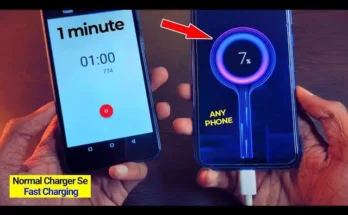
I Thought an App Could Charge My Phone Faster… Until I Tested It Myself
A few months ago, my phone battery was almost empty while I was getting ready to leave home. I plugged in the charger and started searching for a “fast charging app.” Within minutes, I found dozens of apps claiming they could charge any phone up to three times faster.
The promises sounded amazing.
Curious, I installed one of them and waited for a miracle. After using it for several charging sessions, I noticed something important. My phone wasn’t charging faster because of the app. Instead, a few simple changes I made myself had a much bigger impact than any app ever did.
That experience made me dig deeper into how phone charging actually works. If you’ve ever searched for a fast charging app, this guide will help you understand what really makes a difference and how to improve charging speed safely.
Can an App Really Make Your Phone Charge Faster?
This is the biggest question people ask.
The honest answer is not in the way many advertisements suggest.
The charging speed of a smartphone mainly depends on:
- Your phone’s hardware
- The charger you’re using
- The charging cable
- Battery health
- Phone temperature
- Software power management
An app cannot increase the electrical power delivered to your battery beyond what your phone and charger are designed to support.
However, some apps can help you reduce battery usage while charging, which may make the charging process feel a little more efficient.
My Biggest Mistake
When I first started looking for charging apps, I believed every app with millions of downloads had to work.
That wasn’t true.
Some apps simply displayed charging animations.
Others showed battery statistics that were already available in Android settings.
None of them magically increased the charging power.
After testing several options, I realized that improving charging speed depends more on good charging habits than downloading another app.
What Actually Helped My Phone Charge Faster
Instead of relying on one app, I changed a few habits.
The difference was noticeable.
I Started Using the Original Charger
At one point I was charging my phone with an old spare charger.
It worked, but charging felt much slower.
When I switched back to the charger designed for my phone, charging time improved immediately.
Using a compatible charger is one of the simplest ways to get the best possible charging speed.
I Closed Power-Hungry Apps
Some applications continue working in the background while your phone is charging.
Streaming videos, gaming, or downloading large files can slow down charging because the phone is using power while trying to recharge.
Before plugging in my phone, I now close unnecessary apps.
I Removed the Thick Phone Case
This surprised me.
During charging, my phone became warm.
The thick protective case trapped extra heat.
After removing it, the phone stayed cooler during charging.
A cooler battery generally performs better than an overheated one.
I Enabled Airplane Mode When Necessary
If I know I won’t be using my phone for a while, I sometimes enable Airplane Mode.
This reduces network activity and background communication.
Although it doesn’t increase your charger’s power, it reduces battery usage while charging.
Do Charging Apps Have Any Useful Features?
Some of them do.
While they cannot physically increase charging speed, certain apps may offer helpful functions such as:
- Battery information
- Charging history
- Temperature monitoring
- Charging reminders
- Battery health estimates
These features can help you understand your battery better, but they should not be confused with real fast charging technology.
Signs That Your Phone Is Charging Slowly
Sometimes the problem isn’t an app.
Here are a few things I usually check first.
Damaged Charging Cable
A worn or damaged cable may reduce charging performance.
Replacing an old cable solved the problem on one of my previous phones.
Dirty Charging Port
Dust inside the charging port can interrupt the connection.
Cleaning it carefully with appropriate methods can sometimes improve charging reliability.
Background Activity
Large app updates, cloud backups, and video streaming consume power while charging.
Reducing these activities allows the battery percentage to increase more steadily.
Battery Health
Older batteries naturally lose efficiency over time.
If your phone is several years old, battery wear may affect charging performance.
Common Myths About Fast Charging Apps
While researching this topic, I noticed many misleading claims.
“One Tap Makes Any Phone Charge Twice As Fast”
I couldn’t find any evidence supporting this.
Charging speed depends on hardware limitations.
“Charging Animation Means Faster Charging”
Animations only change what you see on the screen.
They do not affect battery charging.
“Every Fast Charging App Uses Secret Technology”
Many apps simply display battery information or manage background activity.
They cannot replace hardware-based fast charging systems.
Practical Tips That Made the Biggest Difference
If your phone supports fast charging, these habits are worth trying.
- Use a compatible charger.
- Use a high-quality charging cable.
- Avoid heavy gaming while charging.
- Keep the phone cool.
- Charge from a wall outlet instead of a slow USB port when possible.
- Install software updates that improve battery performance.
These small habits have helped me more than any charging app I tested.
Is It Worth Downloading a Fast Charging App?
It depends on what you expect.
If you’re looking for an app that magically doubles your charging speed, you’ll probably be disappointed.
If you simply want battery information, charging statistics, or reminders, some apps can still be useful.
The most important thing is understanding their limitations.
Final Thoughts
After trying several fast charging apps, I realized that the biggest improvements came from changing my charging habits rather than installing new software.
Using the correct charger, reducing unnecessary background activity, keeping the phone cool, and taking care of the battery made a much bigger difference than any app promising instant results.
If your goal is faster and safer charging, focus on the basics first. Good charging habits are far more reliable than unrealistic promises, and they help protect your phone’s battery in the long run.