I Never Realized How Much a Launcher Could Change My Phone
For a long time, I thought every Android phone looked and felt almost the same. I used the default home screen that came with my device and never paid much attention to launchers.
One day, I decided to try a different launcher just to see what the hype was about.
I expected a few cosmetic changes, but I was surprised by how different my phone felt. Some launchers made everything faster to access, others helped me stay organized, and a few simply made using my phone more enjoyable.
After testing several launchers over time, I found that each one has its own strengths. Some focus on speed, some on customization, and others on simplicity.
If you’re looking for the best Android launcher, these are the ones I think are worth trying.
Download App
1. Niagara Launcher
After spending some time with Niagara Launcher, I quickly noticed how its simple layout helped me focus on the apps I actually use every day without making the home screen feel crowded
Instead of filling the home screen with dozens of icons, it keeps everything simple. Your favorite apps stay on the main screen, while the rest can be accessed with a quick swipe.
I especially liked using it on busy days because it helped me open the apps I needed without getting distracted by everything else.
Best For
- People who like a minimalist design.
- Users who want fewer distractions.
- Anyone who prefers one-handed phone use.
What I Liked
- Clean interface.
- Fast navigation.
- Easy to learn.
- Smooth performance even on older phones.
2. Nova Launcher
Nova Launcher has been popular for years, and after trying it, I understood why.
It gives you complete control over your home screen. You can change icon sizes, gestures, animations, folders, and many other settings.
At first, all the customization options felt overwhelming, but after spending some time with it, I was able to create a layout that matched exactly how I wanted my phone to look.
Best For
- Users who enjoy customization.
- Android enthusiasts.
- People who like creating unique home screens.
What I Liked
- Plenty of customization options.
- Reliable performance.
- Supports gesture controls.
- Works well on many Android devices.
3. Smart Launcher 6
Smart Launcher 6 impressed me because it automatically organized many of my apps into useful categories.
Instead of manually arranging everything, the launcher handled much of the work for me.
That made finding apps much quicker during daily use.
Best For
- People with many installed apps.
- Users who prefer an organized home screen.
- People who want an easy-to-use launcher that also provides helpful customization without becoming complicated..
What I Liked
- Automatic app organization.
- Modern design.
- Smooth animations.
- Easy navigation.
4. Microsoft Launcher
Even if you don’t use many Microsoft services, this launcher still offers a polished experience.
The interface feels professional, and everything is arranged neatly.
I also liked how easy it was to customize wallpapers and widgets without making the home screen look crowded.
Best For
- Productivity-focused users.
- Office workers.
- Students.
What I Liked
- Clean appearance.
- Simple customization.
- Smooth scrolling.
- Stable performance.
5. Lawnchair Launcher
Lawnchair Launcher gives you an Android experience that feels familiar while still allowing useful customization.
It doesn’t try to completely redesign your phone.
Instead, it improves the default Android interface with additional personalization options.
That’s one reason I found it comfortable to use almost immediately.
Best For
- Users who like the stock Android look.
- People wanting light customization.
- Beginners trying launchers for the first time.
What I Liked
- Familiar interface.
- Lightweight.
- Easy setup.
- Smooth everyday performance.
6. Action Launcher
Action Launcher is a good choice if you enjoy trying new Android features without making your phone feel complicated.
What I noticed after using it was how quickly I could access my most-used apps. Small shortcuts and gestures helped me spend less time searching through the app drawer.
It still feels like Android, but with a few smart improvements that make everyday tasks easier.
Best For
- Users who enjoy productivity features.
- People who like gesture controls.
- Anyone who wants faster navigation.
What I Liked
- Quick access to apps.
- Useful shortcuts.
- Smooth performance.
- Easy to customize.
7. Hyperion Launcher
Hyperion Launcher offers a nice balance between simplicity and customization.
When I first installed it, the interface looked clean and familiar, but after opening the settings, I found plenty of options to personalize the home screen.
I liked that it gives you freedom without making the settings feel confusing.
Best For
- Users who want customization without complexity.
- Android fans who enjoy personalizing their phones.
- People looking for a lightweight launcher.
What I Liked
- Clean design.
- Good customization options.
- Smooth animations.
- Stable performance.
Things to Consider Before Choosing a Launcher
After trying different launchers, I realized there isn’t one perfect option for everyone.
Before installing a launcher, think about what matters most to you.
Ask yourself questions like:
- Do I want a cleaner home screen?
- Do I enjoy changing icons and layouts?
- Is speed more important than customization?
- Am I trying to reduce distractions?
Your answers will help you choose a launcher that actually improves your daily experience.
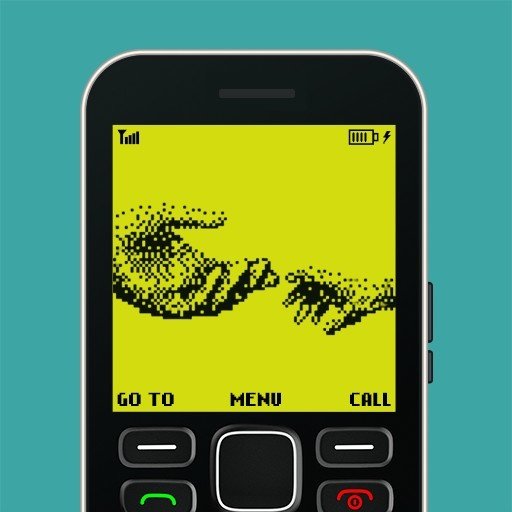
8. Nokia 1280 Launcher
Out of all the launchers I tested, Nokia 1280 Launcher was definitely the most unique.
Unlike other launchers that focus on modern designs, this one takes inspiration from the classic Nokia 1280 keypad phone.
I installed it mostly out of curiosity, expecting it to be nothing more than a nostalgic theme.
After using it for several days, I noticed something unexpected.
The simple layout made my phone feel less cluttered. Without a home screen full of colorful icons and widgets, I found myself opening only the apps I actually needed.
It didn’t replace Android or remove modern features. My apps, camera, browser, and messaging services all continued to work normally.
The biggest change was the overall look and feel.
If you grew up using classic Nokia phones, the familiar interface may bring back good memories while still letting you enjoy everything your Android phone can do today.
Best For
- Fans of classic Nokia phones.
- Users who enjoy retro designs.
- Anyone looking for a simple home screen.
- People who want something different from the usual Android interface.
What I Liked
- Classic Nokia-inspired appearance.
- Simple navigation.
- Lightweight experience.
- A cleaner and less distracting home screen.
Which Launcher Should You Choose?
After spending time with each launcher, I realized that the best choice depends on how you use your phone.
If you love customization, Nova Launcher is a strong option.
If you prefer a clean and distraction-free experience, Niagara Launcher is worth considering.
If organization matters most, Smart Launcher 6 does an excellent job.
And if you’re looking for something completely different with a nostalgic touch, Nokia 1280 Launcher offers an experience unlike the others.
Instead of choosing the most popular launcher, choose the one that fits your daily routine.
Final Thoughts
Changing your launcher might seem like a small adjustment, but it can completely change how your Android phone feels every day.
Some launchers help you stay organized, others give you endless customization options, and a few focus on simplicity instead of extra features.
After trying all of these, I found that each launcher offers something different. The right choice isn’t the one with the most features—it’s the one that makes your phone easier and more enjoyable to use.
If you’ve never tried a custom launcher before, this is a great place to start. You can always switch back later, but you may end up discovering a setup that suits you even better than the default one.